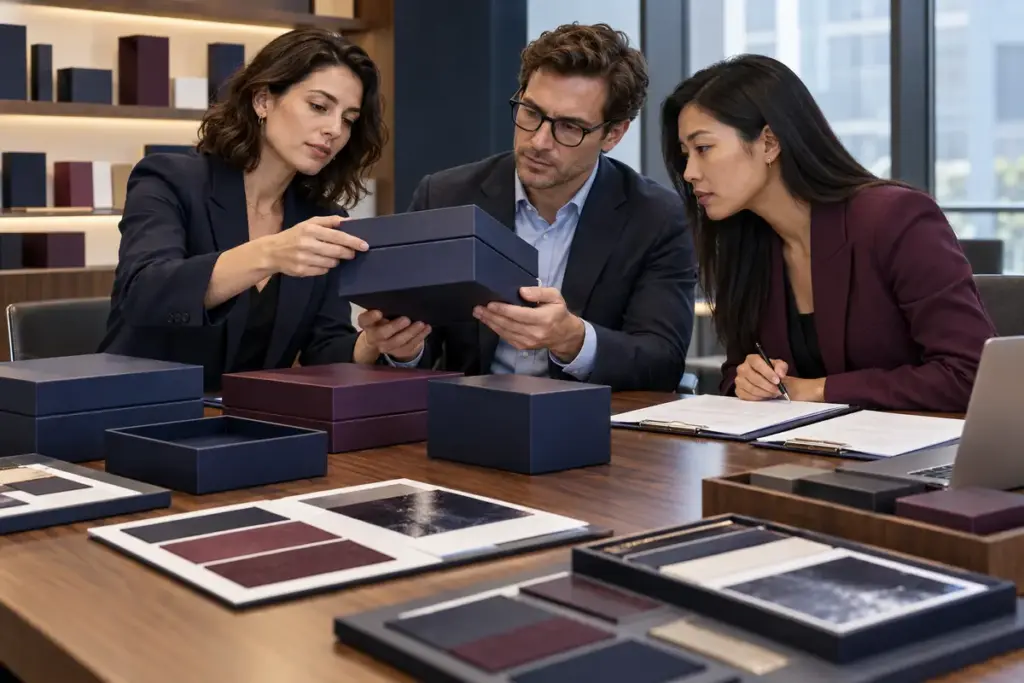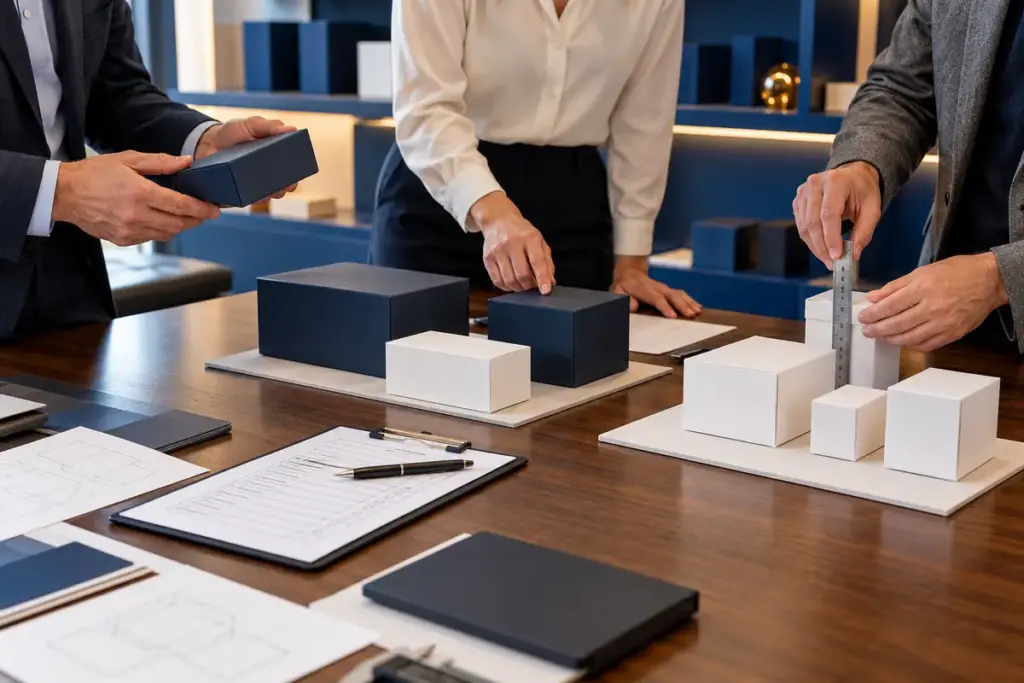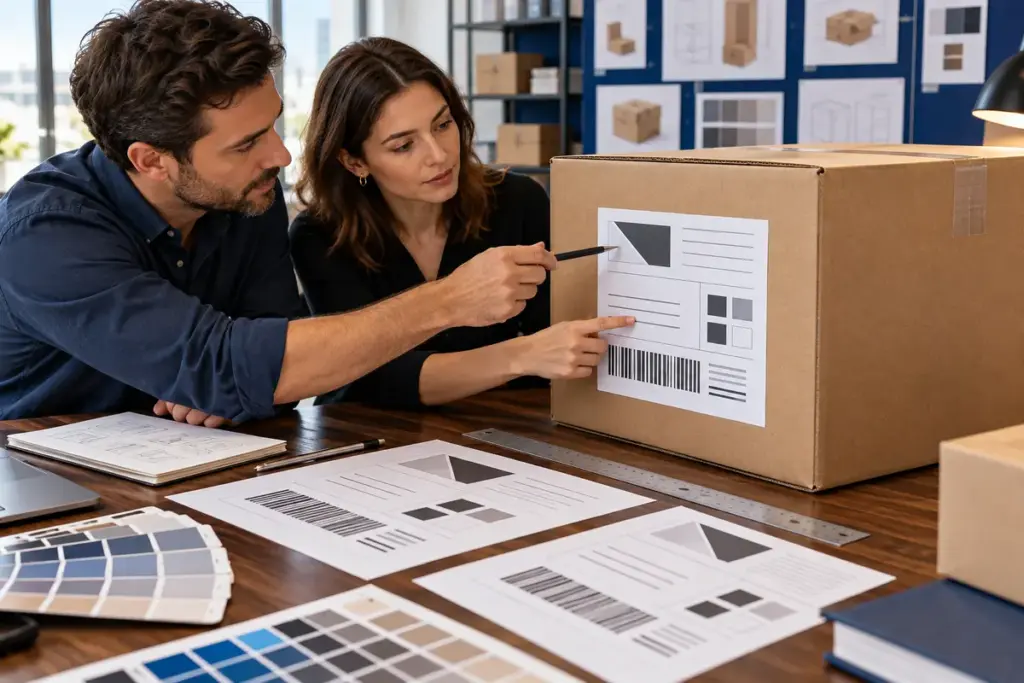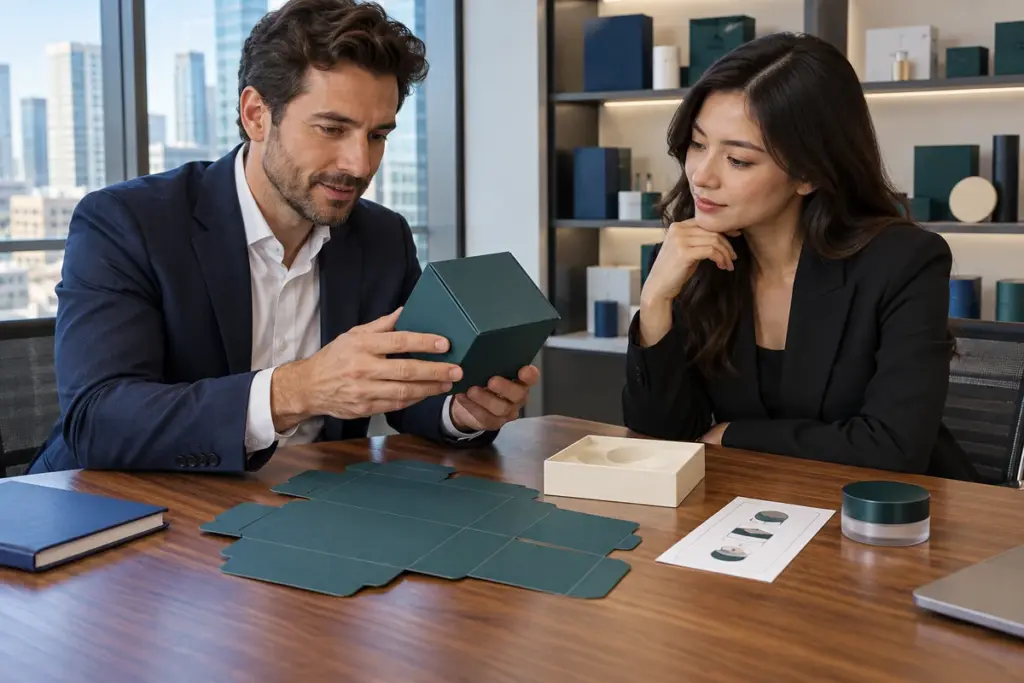
Es posible que ya hayas elegido la estructura de la caja., material y tamaño. Entonces, Justo cuando el proyecto parece estar listo para producción., el proveedor del embalaje responde: "Envíe el archivo de arte editable AI o PDF".
Ahí es donde muchos proyectos se ralentizan..
Preparante archivos de ilustraciones de embalaje personalizados correctamente puede evitar que falten fuentes, logotipos borrosos, cambios de color inesperados, lámina fuera de lugar, Dielines incorrectos y revisiones repetidas del arte.. Más importante aún, un archivo limpio y listo para imprimir ayuda a la fábrica de embalaje a pasar de la aprobación del diseño al muestreo y la producción en masa mucho más rápido.
Entonces, antes de enviar tu obra de arte final, Vale la pena dedicar unos minutos a comprobar los detalles que realmente importan en la producción..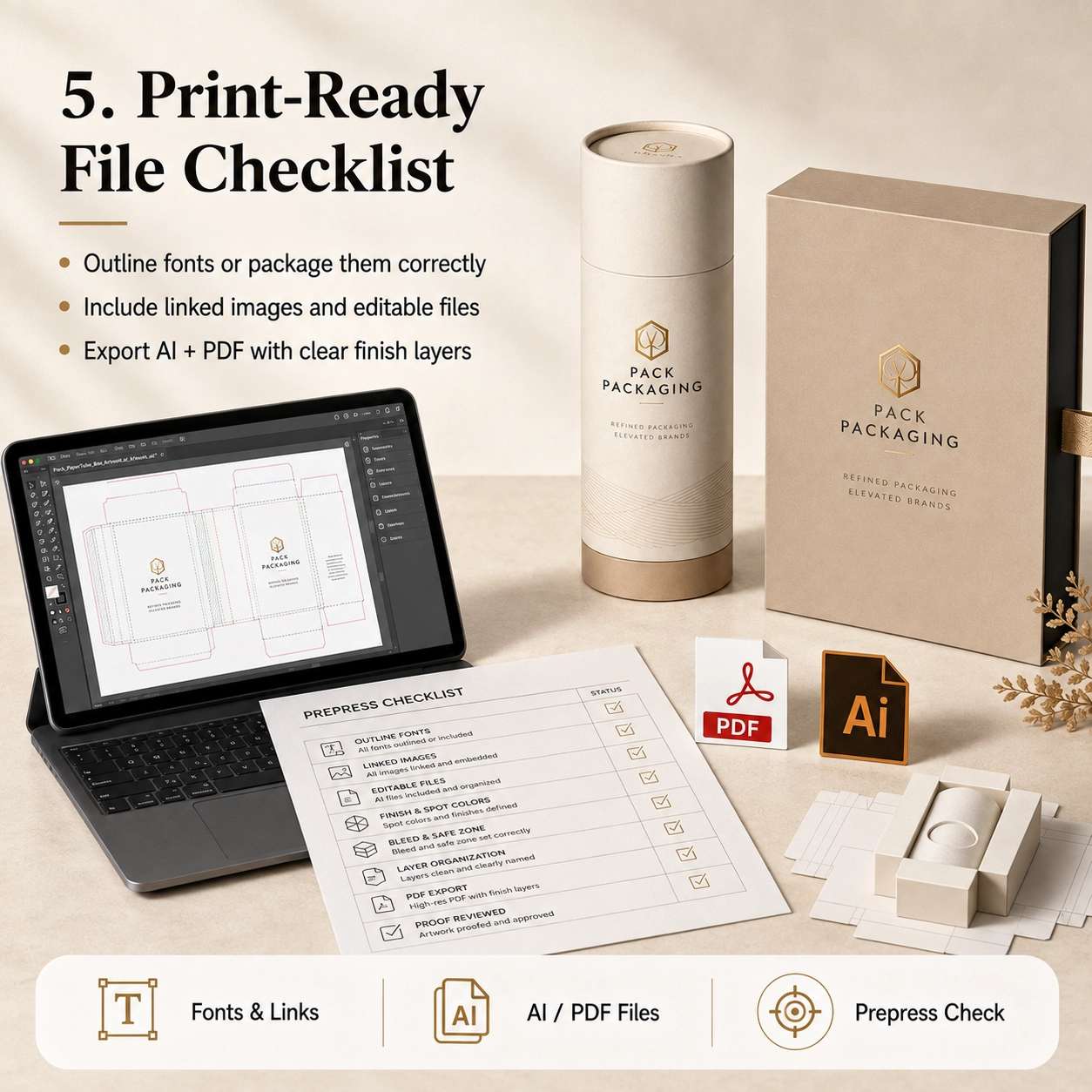
¿Qué son los archivos de ilustraciones de embalaje personalizados??
Archivos de ilustraciones de embalaje personalizados son los archivos de diseño listos para producción que se utilizan para imprimir y terminar una caja de papel personalizada, tubo de papel, manga, Cartón u otro paquete.
Son diferentes de una simple maqueta JPG..
Una maqueta muestra cómo debería verse el embalaje.. Sin embargo, un archivo de arte de producción le dice a la fábrica exactamente dónde debe imprimirse cada elemento, cortar, doblado, sellado, en relieve o recubierto.
Un archivo completo puede contener:
- Línea de embalaje
- Líneas de corte
- Líneas de plegado o plegado
- área de sangrado
- Zona segura
- Ilustraciones CMYK
- colores pantone
- Logo
- Nombre del producto
- Ingredientes
- Código de barras
- Información regulatoria
- Capa de estampado en caliente
- capa de relieve
- Capa de grabado
- Capa UV puntual
- Posición de la ventana
- Área de pegamento
- Insertar obra de arte
Por esa razón, Las ilustraciones del embalaje siempre deben basarse en el dielina final aprobada en lugar de en un rectángulo estimado.
Formatos de archivo preferidos
Para la mayoría de proyectos de embalaje personalizados, Los formatos de producción útiles incluyen:
- Ilustrador Adobe
.AI - Editable
.PDF .EPS
Dependiendo del proyecto, También se pueden suministrar archivos PSD o de imágenes de alta resolución para elementos fotográficos..
Sin embargo, Los archivos vectoriales generalmente son más adecuados para logotipos., texto, Rutas de corte y áreas de acabado especial porque se pueden escalar sin perder la calidad del borde..
Por qué los archivos JPG y PNG normalmente no son suficientes
Un JPG o PNG puede ser útil como referencia visual.. Sin embargo, normalmente no contiene editable:
- Texto vectorial
- colores pantone
- dielines
- capas de papel de aluminio
- Caminos en relieve
- Información de corte
Por lo tanto, no envíe solo una captura de pantalla y espere que la fábrica reproduzca cada detalle con precisión.
Si la obra de arte editable no está disponible, informarle al proveedor temprano. Luego, el equipo de diseño puede confirmar si es necesaria la reconstrucción de la obra de arte antes del muestreo..
Por qué es importante la preparación del arte
Bien archivos de ilustraciones de embalaje personalizados hacer más que mejorar la calidad de impresión.
También pueden reducir:
- Revisiones de obras de arte
- Correcciones de muestra
- Retrasos en la producción
- Malentendidos de color
- Posiciones incorrectas de las láminas
- Información faltante
- Riesgo de reimpresión
Honestamente, Muchos retrasos en el embalaje ocurren incluso antes de que la máquina arranque..
Es posible que ya se haya aprobado una botella. Es posible que las dimensiones del embalaje ya estén confirmadas.. Sin embargo, la producción aún no puede comenzar porque falta el logo., las fuentes no están disponibles o la capa de aluminio no se ha separado.
Por lo tanto, Una buena preparación del arte es parte de la planificación de la producción., no solo diseño gráfico.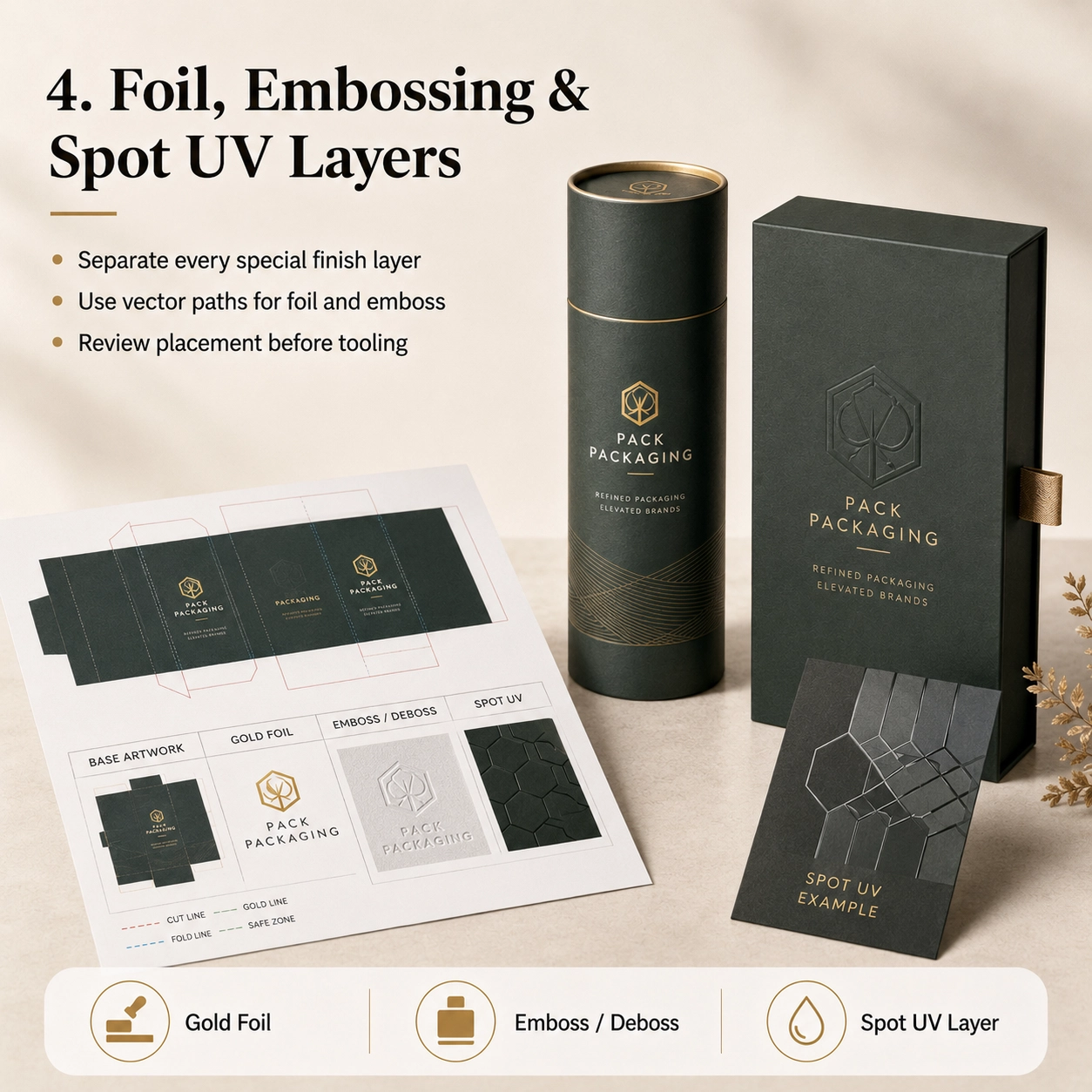
Comience con la línea de embalaje correcta
Antes de colocar gráficos, asegúrese de estar trabajando en la línea de troquel final suministrada o aprobada por el fabricante del embalaje.
Una dieline es el dibujo técnico plano del paquete antes de doblarlo o darle forma..
puede mostrar:
- Cortar líneas
- Líneas de plegado
- Áreas de pegamento
- Áreas de los párpados
- Áreas inferiores
- Costuras
- ventanas
- Insertar posiciones
- Secciones superpuestas
Nunca asuma que dos cajas del mismo tamaño exterior usan la misma línea de troquel.
Por ejemplo, una caja de cartón recta, La caja rígida magnética y la caja del cajón pueden medir 100 × 100 × 50 mm externamente, sin embargo, los diseños de sus obras de arte son completamente diferentes..
El mismo principio se aplica a los envases cilíndricos..
Un tubo de papel requiere que el diseñador considere:
- Circunferencia
- costura vertical
- Superposición de la tapa
- Sección inferior
- cuello interior
- Zona frontal visible
Por lo tanto, la aprobación estructural debería ocurrir antes aprobación final del arte.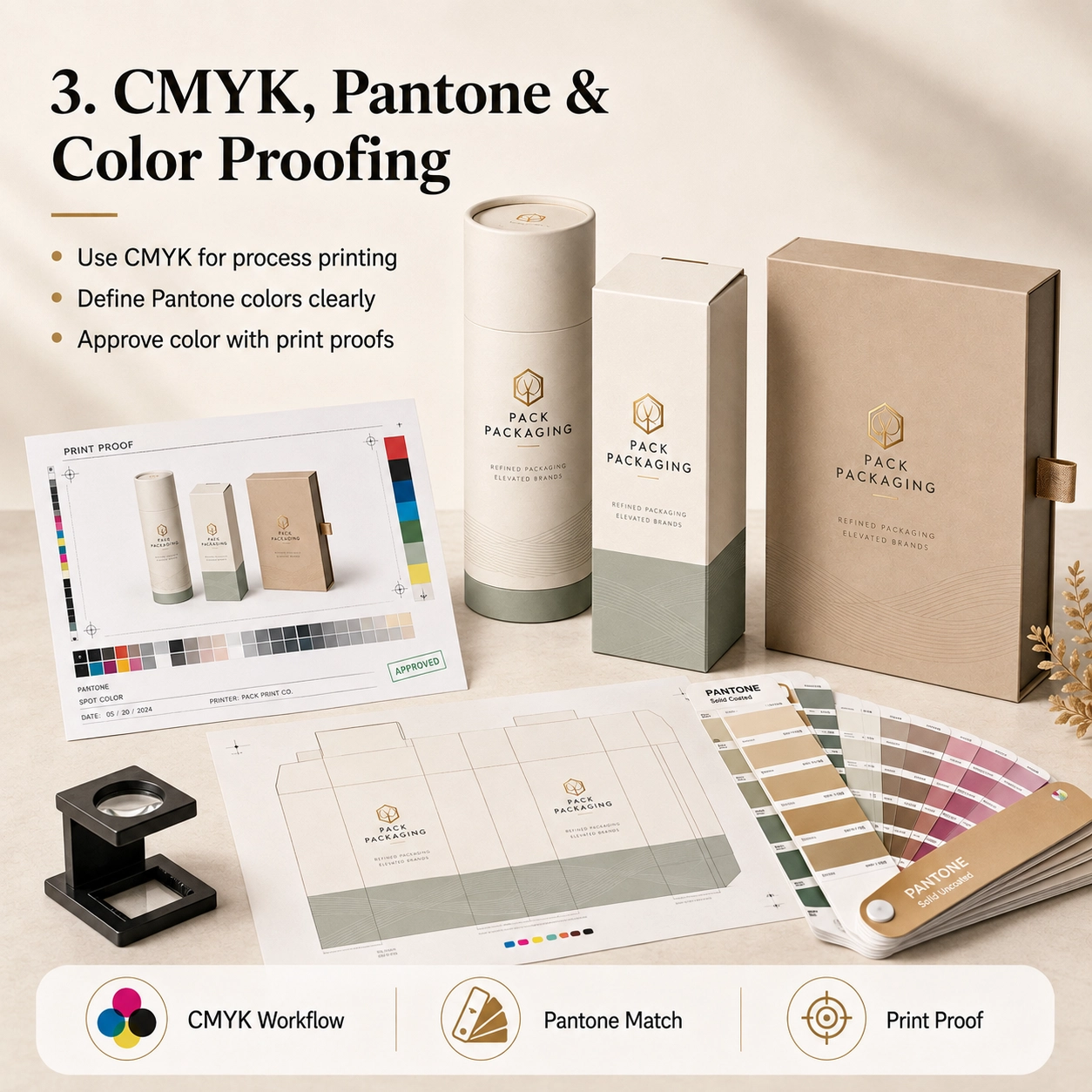
Comprender las líneas de corte, Líneas de plegado y áreas seguras
Una línea de envasado suele contener varias líneas técnicas..
Estos deben permanecer separados de la obra de arte impresa..
Línea de corte
La línea de corte muestra dónde se recortará el embalaje..
No coloque texto importante directamente en esta línea.
Línea de plegado o pliegue
Las líneas de plegado indican dónde se doblarán las cajas o dónde se unen los componentes de la caja rígida.
Evite colocar texto crítico directamente en un pliegue a menos que el diseño lo requiera intencionalmente..
Área de sangrado
Las ilustraciones que llegan al borde de un paquete deben extenderse más allá de la línea de corte hasta el área de sangrado..
El flujo de trabajo de Illustrator de Adobe admite la configuración de áreas de sangrado y marcas de impresora para la producción impresa..
A 3 mm de sangrado es común en muchos flujos de trabajo de impresión, pero el requisito final siempre debe seguir la línea de fábrica.
En otras palabras, No asuma que cada proyecto de empaque utiliza exactamente el mismo sangrado..
Área Segura
Logotipos, texto pequeño, Los códigos de barras y la información importante deben permanecer seguros dentro del borde de la moldura..
La distancia de seguridad exacta depende de:
- Estructura
- Tolerancia de corte
- Plegable
- Costura del tubo
- Posición de la ventana
- Refinamiento
Por lo tanto, Siga la zona segura que se muestra en la línea de producción siempre que se le proporcione una..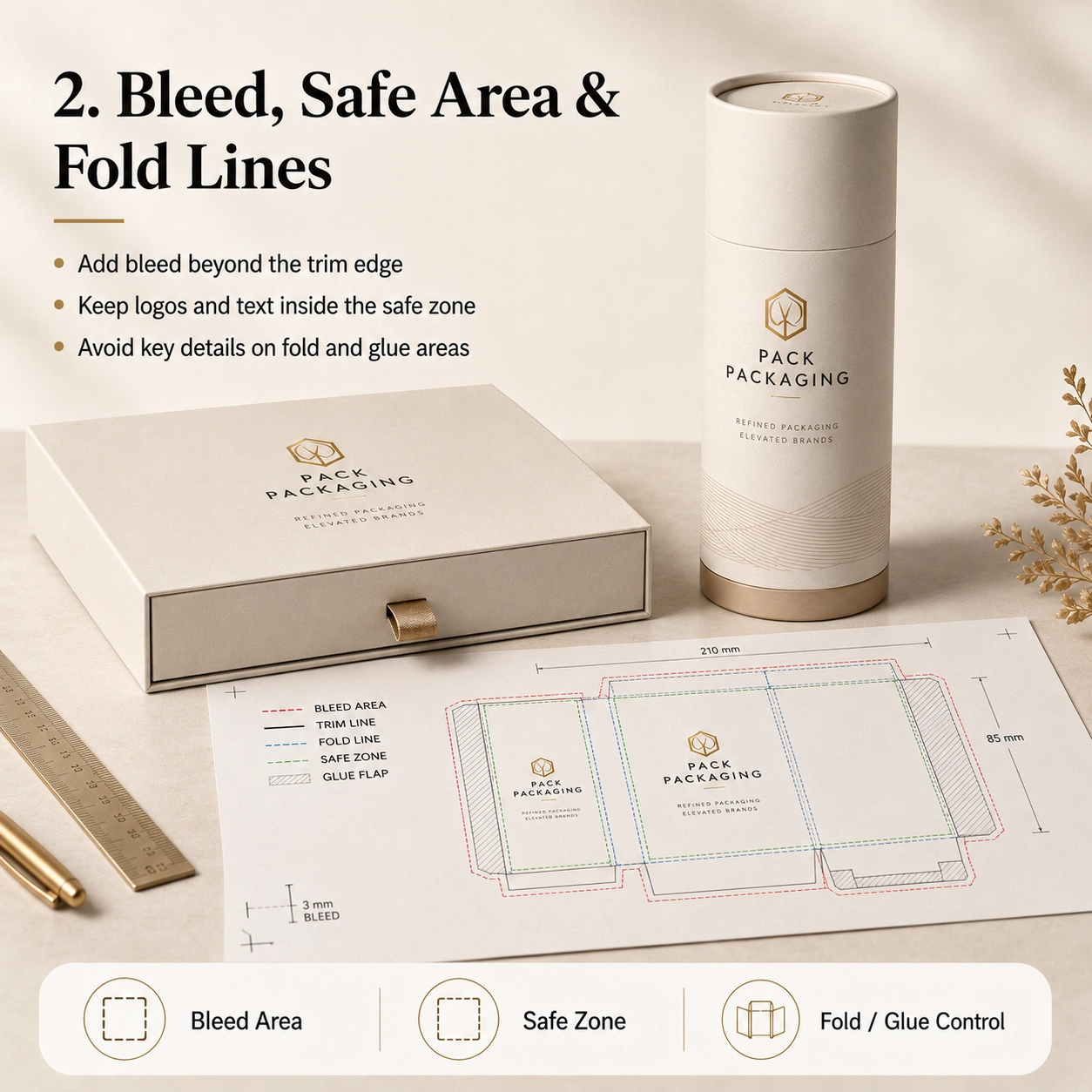
Aplicaciones comunes
la preparación de archivos de ilustraciones de embalaje personalizados cambia ligeramente dependiendo de lo que contendrá el embalaje.
Embalaje de perfumes
Los envases de perfumes suelen contener gráficos frontales relativamente simples pero un acabado más complejo..
Un paquete de fragancia premium puede requerir capas de arte separadas para:
- Impresión principal CMYK o Pantone
- lámina de oro
- Logotipo en relieve
- Punto UV
- Color interior del cuello
- Insertar marca
Por ejemplo, si el logo dorado también necesita ser grabado, la fábrica debe entender si el estampado sigue la forma exacta de la lámina o cubre un área más grande.
Por lo tanto, etiquetar claramente cada capa.
Los nombres de capas útiles incluyen:
- IMPRIMIR
- LÁMINA DE ORO
- REALZAR
- LÍNEA DE CORTE
- LÍNEA DE PLIEGUE
- INSERTAR
Eso puede sonar básico, pero puede evitar una sorprendente cantidad de malentendidos.
Cuidado de la piel y cosméticos
Los envases para el cuidado de la piel suelen contener más texto..
Esto puede incluir:
- Nombre del producto
- Ingredientes
- Instrucciones
- Contenido neto
- Advertencias
- Información del fabricante
- Área de lotes
- Código de barras
Como resultado, El tamaño y el espaciado del texto se vuelven especialmente importantes..
Antes de enviar el archivo, acérquese y compruebe si hay información importante demasiado cerca de un pliegue, solapa o borde de pegamento.
Té y café
Los envases de té y café a menudo combinan la marca con:
- Origen del producto
- Ingredientes
- Instrucciones de preparación
- Notas de sabor
- Peso
- Código de barras
- Información alimentaria
Si el producto utiliza papel kraft, Recuerde que el papel marrón natural influirá en la apariencia de los colores impresos..
Por lo tanto, La misma obra de arte CMYK puede verse diferente en papel artístico blanco y kraft natural..
chocolate y dulces
Los envases de chocolate y productos de confitería pueden utilizar ilustraciones coloridas., fotografías y acabados metálicos..
Además, Los envases de alimentos pueden contener un texto obligatorio considerable..
Cuando se incluye una ventana, la obra de arte también debe tener en cuenta la abertura visible exacta.
No coloque texto importante demasiado cerca de la línea de troquelado de la ventana..
Velas
Los envases de velas suelen utilizar obras de arte sobrias.
Por ejemplo:
- Logotipo de la marca
- Nombre del aroma
- Ilustración botánica
- Peso del producto
- Información de seguridad
Un fondo oscuro mate con un pequeño logotipo metálico puede parecer sofisticado.
Sin embargo, las áreas oscuras también hacen rayones, errores de registro y bordes irregulares más notorios.
Por lo tanto, El muestreo físico se vuelve particularmente valioso..
Productos de regalo
El embalaje de regalo permite una mayor libertad de diseño.
Sin embargo, la estructura puede ser más complicada.
Cajas magnéticas, cajas de cajones, Las fundas y los embalajes telescópicos tienen múltiples superficies visibles..
Por lo tanto, La obra de arte debe considerar la secuencia de apertura del cliente en lugar de solo la vista frontal cerrada..
Opciones de materiales
La selección del papel afecta la forma en que archivos de ilustraciones de embalaje personalizados debe prepararse y cómo quedará finalmente el diseño impreso.
Papel kraft
El kraft natural tiene su propio color base marrón..
Como consecuencia, Los colores impresos pueden aparecer más oscuros y menos saturados que en una pantalla de computadora blanca..
Para un diseño kraft limpio, considerar:
- Impresión en negro
- verde oscuro
- Marrón
- Colores Pantone simples
- Tinta blanca donde sea compatible
- Lámina de oro o cobre
El propio papel natural puede pasar a formar parte del diseño.
Papel de arte
El papel artístico estucado proporciona una apariencia más suave., superficie de impresión más blanca.
Por lo tanto, funciona bien para:
- CMYK
- Fotografía
- Degradados
- tipografía fina
- Ilustraciones detalladas
- colores pantone
Después de imprimir, también puede recibir mate, brillo, Laminación suave al tacto o antirrayas..
Papel especial
Los trabajos especializados pueden incluir:
- textura de lino
- textura de cuero
- Acabado perlado
- Superficie metálica
- Color teñido
- textura en relieve
Sin embargo, La textura profunda puede afectar la tipografía pequeña y los detalles finos del papel..
Por lo tanto, Es posible que sea necesario simplificar la obra de arte..
Un logotipo con líneas extremadamente finas puede verse hermoso en la pantalla pero reproducirse mal en un papel con una textura fuerte..
Papel de calidad alimentaria
Los envases relacionados con alimentos pueden utilizar papeles internos específicos., revestimientos o revestimientos.
La obra de arte decorativa normalmente queda en el exterior.. Mientras tanto, Los materiales en contacto con alimentos se seleccionan según la aplicación..
Por lo tanto, No asuma que la capa decorativa impresa en sí proporciona protección contra el contacto con los alimentos..
Estructuras revestidas con papel de aluminio
Tubos de papel para té., café, Los bocadillos u otros productos alimenticios pueden usar papel de aluminio o un revestimiento interior multicapa..
Generalmente, el archivo de arte controla el diseño exterior, mientras que el revestimiento está definido en la especificación del material.
Sin embargo, si el paquete incluye una superficie interior impresa, confirmar si se requiere un archivo de arte interno separado.
Opciones de estructura
Diferentes estructuras de embalaje necesitan una lógica artística diferente.
Tubo de papel estándar
Una obra de arte de tubo de papel normalmente incluye:
- cuerpo principal
- Margen de costura vertical
- Tapa
- Sección inferior
El diseñador debe identificar el área de visualización principal y evitar colocar el logotipo principal directamente en la costura..
Tubo hombro-cuello
Los tubos de hombro y cuello incluyen un cuello interior visible después de abrirlos..
Esto crea otra oportunidad de marca..
Por ejemplo, el exterior puede ser de color verde oscuro, mientras que el interior del cuello puede ser dorado o crema..
Sin embargo, Este componente interior visible debe incluirse en la especificación de material o diseño artístico aprobada..
Tubo telescópico
Un tubo telescópico contiene una sección superior más larga y una base más corta..
Es posible que sea necesario alinear visualmente la obra de arte cuando el paquete esté cerrado..
Por lo tanto, confirmar cuidadosamente:
- Altura de la tapa
- Altura base
- Superposición
- Orientación frontal
Nunca diseñe estas áreas utilizando dimensiones estimadas..
Tubo de ventana
Las ilustraciones de ventanas requieren una posición exacta del troquelado..
El diseño debe considerar:
- Forma de ventana
- Tamaño de ventana
- película para ventanas
- Posición del producto
- Liquidación de texto
Además, El producto o la bolsa interior deben permanecer alineados detrás de la abertura..
Tubo de papel con inserto
Un inserto puede ser:
- EVA
- EPE
- Cartón
- pulpa moldeada
- bandeja de plastico
Si el encarte contiene papel impreso o una tarjeta con la marca, proporcionar ilustraciones separadas para ese componente.
Tubo de flexión
Los envases push-up tienen áreas móviles funcionales.
Por lo tanto, Evite colocar texto crítico donde el mecanismo, Las costuras o el movimiento inferior pueden interferir con la visibilidad..
Tubo giratorio
Las estructuras retorcidas requieren dimensiones estructurales aún más precisas.
Como resultado, La línea de corte debe aprobarse antes de completar cualquier diseño final de la marca..
Embalaje de manga
Una funda puede ser una de las formas más sencillas de diferenciar varios SKU.
Por ejemplo, cinco productos pueden compartir la misma estructura interna y cada uno utiliza una funda impresa diferente.
Esto puede simplificar tanto la producción como el inventario..
Impresión & Opciones de acabado
Aquí es donde archivos de ilustraciones de embalaje personalizados a menudo se vuelven más complicados.
Cada proceso especial de impresión o acabado debe estar claramente separado.
Impresión CMYK
CMYK es el enfoque de color de proceso estándar para muchas aplicaciones de embalaje impreso..
Adobe recomienda el modo de color CMYK para documentos preparados para impresión con tinta de proceso.
CMYK es adecuado para:
- Fotografías
- Degradados
- Ilustraciones
- Gráficos multicolores
Si el diseño fue creado originalmente en RGB, Los colores pueden cambiar cuando se convierten para imprimir..
Por lo tanto, No apruebe colores de embalaje críticos basándose únicamente en un teléfono o monitor..
Pantone / Colores directos
Pantone u otros colores planos pueden resultar útiles cuando una marca necesita un color distintivo específico.
Por ejemplo:
- Marca verde
- burdeos de lujo
- Marino específico
- Naranja corporativo
Identifique claramente el color directo requerido en lugar de proporcionar solo una referencia RGB aproximada.
Sin embargo, El tipo de papel y el acabado de la superficie aún pueden afectar el resultado visual final..
Por lo tanto, Las muestras de colores físicos pueden ser apropiadas para requisitos estrictos de la marca..
Estampado en caliente
Las ilustraciones estampadas en caliente normalmente deben proporcionarse como una capa vectorial separada..
Evite enviar un degradado dorado rasterizado y esperar que se convierta en una lámina metálica..
En cambio, crear un área vectorial claramente etiquetada como:
LÁMINA DE ORO
La obra de arte de aluminio generalmente debe usar formas y caminos limpios..
Asimismo, Pídale al proveedor que revise detalles extremadamente finos antes de utilizar las herramientas..
Realce
El estampado eleva la superficie del papel..
Por lo tanto, Proporcionar una capa separada que muestre exactamente qué áreas deben elevarse..
Por ejemplo:
REALZAR
Si es necesario alinear el papel de aluminio y el relieve, hacer explícito ese requisito.
grabado
El grabado presiona el diseño hacia adentro.
como relieve, requiere ilustraciones vectoriales claras e identificación separada.
Punto UV
Spot UV crea un contraste brillante sobre áreas seleccionadas.
Proporcionar una capa dedicada, como:
PUNTO UV
No lo fusiones con la imagen principal CMYK..
De lo contrario, Es posible que la impresora no sepa qué elemento gráfico necesita el recubrimiento..
Laminación mate
La laminación mate suele cubrir toda la superficie impresa..
Por lo tanto, Es posible que no requiera una capa de arte separada..
En cambio, especificarlo en el pedido o instrucciones de acabado.
Laminación brillante
La laminación brillante funciona de manera similar..
Sin embargo, si solo las áreas seleccionadas deben ser brillantes, En realidad, el proyecto puede requerir una laminación UV puntual en lugar de una laminación de brillo total..
Laminación suave al tacto
La película suave al tacto normalmente también cubre toda la superficie..
Porque la película cambia la apariencia y la sensación táctil de los colores impresos., Las muestras físicas son valiosas para el embalaje premium..
Cómo preparar archivos de ilustraciones de embalaje personalizados listos para imprimir
antes de enviar archivos de ilustraciones de embalaje personalizados a la fábrica, revise la siguiente lista de verificación.
1. Utilice la línea de troquel final aprobada
No cree obras de arte de producción sobre una muestra antigua o una versión estructural anterior..
Si las dimensiones de la caja cambian, solicitar la dieline actualizada.
2. No cambie el tamaño de la línea de troquel
Las líneas de embalaje normalmente se suministran a escala de producción real..
Por lo tanto, no te estires, recortarlos o cambiar su tamaño proporcionalmente a menos que el proveedor le indique específicamente que lo haga.
3. Agregue el sangrado requerido
Colores de fondo, Las fotografías y gráficos que llegan al borde de la moldura deben extenderse hasta el área de sangrado..
De nuevo, Utilice el sangrado especificado por el proveedor del embalaje..
4. Mantenga los elementos importantes dentro de la zona segura
Mantener:
- Logotipos
- Texto pequeño
- Códigos de barras
- Nombres de productos
- Información regulatoria
lejos de las tolerancias de corte y plegado.
5. Utilice CMYK para la impresión de procesos
Si el proyecto utilizará impresión en proceso de cuatro colores, preparar la obra de arte para el flujo de trabajo de color de impresión correcto.
Adobe identifica específicamente CMYK como el modo de color apropiado para la impresión con tinta de proceso..
6. Identifique claramente los colores Pantone
No escribas solo:
"Por favor, haga coincidir este verde".
En cambio, Proporcionar la referencia de color correcta cuando sea necesario..
7. Convierta fuentes en contornos o empaquetelas correctamente
Las fuentes faltantes pueden cambiar todo el diseño.
Adobe Illustrator admite la conversión de texto en contornos mediante Tipo > Crear contornos. Una vez convertido, el tipo se convierte en rutas y ya no se puede editar como texto normal.
Por lo tanto, mantenga una copia de seguridad editable antes de delinear.
Otra opción es empaquetar el archivo con las fuentes requeridas., sujeto a licencias de fuentes y flujo de trabajo del proveedor.
8. Comprobar imágenes vinculadas
Un problema muy común ocurre cuando el archivo AI se abre correctamente en la computadora del diseñador pero las imágenes desaparecen cuando el proveedor lo abre..
Por qué?
Las imágenes estaban vinculadas pero no incluidas..
La función Paquete Illustrator de Adobe puede recopilar el documento de Illustrator, gráficos vinculados y fuentes compatibles para la transferencia de archivos.
Por lo tanto, cualquiera:
- Empaquetar el trabajo completo correctamente, o
- Insertar ilustraciones vinculadas apropiadas
antes de la entrega.
9. Utilice una calidad de imagen adecuada
No amplíes una imagen web pequeña hasta que se vea borrosa.
En cambio, Proporcionar ilustraciones originales con calidad de producción en el tamaño requerido para la impresión..
Para fotografías, comprobar la resolución efectiva en el tamaño final colocado.
10. Mantenga los logotipos como ilustraciones vectoriales
Siempre que es posible, Los logotipos deben seguir siendo vectoriales..
Esto proporciona una limpieza:
- Impresión
- Bordes de lámina
- Realce
- Texto pequeño
- Escalada
11. Capas de acabado especiales separadas
La estructura de capas recomendada podría verse así:
- DIELA
- IMPRESIÓN CMYK
- pantone
- LÁMINA DE ORO
- REALZAR
- DEBOSS
- PUNTO UV
- VENTANA
Esto hace que la intención de producción sea mucho más clara..
12. No elimine la línea técnica
Mantenga la línea de troquel disponible para revisión de producción..
Sin embargo, debe permanecer en su propia capa y no debe imprimirse accidentalmente como parte del diseño de cara al cliente..
13. Verifique la configuración de sobreimpresión
Los ajustes de sobreimpresión inesperados pueden hacer que ciertos objetos desaparezcan o se impriman incorrectamente.
Por lo tanto, La sobreimpresión debe comprobarse durante la preimpresión., especialmente para archivos complejos de colores directos o de acabado.
Adobe proporciona herramientas dedicadas de sobreimpresión y separación de impresiones para revisar este comportamiento.
14. Exportar un PDF listo para imprimir
Junto con el archivo AI editable, proporcionar una referencia en PDF es extremadamente útil.
El PDF muestra el diseño final previsto y le da a la fábrica algo con lo que comparar.
15. Incluir una maqueta visual
Una maqueta 3D no es un archivo de producción.
Sin embargo, Es extremadamente útil como referencia visual..
Le dice al equipo de preimpresión:
- ¿De qué lado está el frente?
- Cómo debe cerrarse el paquete
- ¿Qué logotipo es más importante?
- Cómo debería verse la estructura terminada
Por lo tanto, La entrega de archivos más sólida a menudo incluye tanto arte técnico como una referencia visual..
Lista de verificación previa de la obra de arte del embalaje
Antes de hacer clic en "Enviar," controlar:
- Versión dieline correcta
- Dimensiones correctas del paquete
- Sangrado incluido
- Área segura revisada
- Ilustraciones CMYK preparadas
- Colores Pantone identificados
- Fuentes delineadas o suministradas correctamente
- Imágenes vinculadas incluidas o incrustadas
- Los logotipos son vectoriales siempre que sea posible.
- Calidad de imagen comprobada
- Código de barras comprobado
- Revisión del texto del producto
- Capa de lámina separada
- Capa de relieve separada
- Capa de grabado separada
- Capa UV puntual separada
- Capa de ventana confirmada
- Dieline permanece separada
- Referencia PDF exportada
- 3Maqueta D incluida
- Arte final aprobado internamente.
Las herramientas de verificación previa de Adobe Acrobat también pueden analizar archivos PDF para determinar las condiciones de producción de impresión antes de su salida..
Cómo los archivos de arte afectan el tiempo de producción del empaque
El arte mal preparado puede retrasar directamente el muestreo y la producción..
Por ejemplo, imagina la siguiente secuencia:
- El proveedor recibe un JPG.
- Se solicita arte editable.
- El diseñador envía IA.
- Faltan varias imágenes vinculadas..
- Los archivos se reenvían..
- La dieline está desactualizada..
- La obra de arte está reconstruida..
- La capa de lámina no está separada..
- Se requiere otra revisión.
De repente, Han desaparecido varios días antes de que comience la impresión..
Por el contrario, adecuadamente preparado archivos de ilustraciones de embalaje personalizados Permitir que el equipo de preimpresión verifique el diseño., Confirmar la viabilidad de fabricación y avanzar hacia el muestreo de manera más eficiente..
Planificación del lanzamiento de un producto?
La preparación del arte es sólo una parte del programa completo de producción..
Si también está planeando un muestreo, producción y entrega en masa, lee nuestro Tiempo de producción de tubos de papel personalizados: Guía completa de plazos de entrega.
Esa guía explica cómo:
- Aprobación de obra de arte
- Muestreo
- Cantidad mínima de pedido
- Disponibilidad de materiales
- Insertos
- Acabado especial
- Múltiples SKU
puede afectar el cronograma completo de empaque.
Juntos, estas dos guías responden a dos preguntas prácticas:
¿Está mi obra de arte lista para imprimir??
y
¿Cuánto tiempo tardará mi embalaje una vez que se apruebe la obra de arte??
Errores comunes en las ilustraciones que retrasan la producción
Enviar solo una captura de pantalla
Por lo general, una captura de pantalla no puede proporcionar las capas editables necesarias para la producción..
En cambio, proporcionar ilustraciones editables más una referencia en PDF.
Uso de colores RGB para coincidencias de impresiones críticas
Es posible que los colores que parecen brillantes en un monitor no se reproduzcan de manera idéntica en el proceso de impresión..
Por lo tanto, Prepare el flujo de trabajo de impresión correcto y apruebe colores importantes de manera realista..
Fuentes faltantes
Si un proveedor no tiene la fuente utilizada en la obra de arte, El texto puede cambiar o desaparecer..
Delinear fuentes o suministrarlas a través de un flujo de trabajo empaquetado adecuado.
Faltan imágenes vinculadas
Este es uno de los problemas más fáciles de evitar..
Consulte el panel de enlaces de Illustrator antes de la entrega.. El panel Vínculos de Adobe rastrea si las ilustraciones colocadas están vinculadas o incrustadas.
Usar un logotipo de baja resolución
Un logotipo web pequeño puede parecer aceptable en una pantalla pero pobre en letra impresa..
Pregunte al equipo de la marca por el logotipo vectorial original..
Poner todos los acabados en una sola capa
si papel de aluminio, El relieve y los rayos UV se fusionan en la obra de arte principal., Es posible que el equipo de producción necesite reconstruir el archivo..
Por lo tanto, separarlos desde el principio.
Cambio de la línea troquelada después de la aprobación del diseño
La estructura debe ser lo primero.
Si las dimensiones cambian después de la aprobación del diseño, Es posible que sea necesario rediseñar el diseño..
Diseño en áreas ocultas
Algunas partes del embalaje desaparecen debajo.:
- Superposición de la tapa
- Áreas de pegamento
- Costuras de tubo
- Pliegues interiores
Por lo tanto, Siempre estudie la estructura ensamblada antes de posicionar una marca importante..
Cumplimiento & Sostenibilidad
La obra de arte no se trata sólo de estética.
Dependiendo del producto y mercado de destino, Es posible que el embalaje final deba mostrar información específica..
Alimento, Los cosméticos y otros productos regulados pueden requerir artículos como:
- Nombre del producto
- Contenido neto
- Ingredientes
- Advertencias
- Detalles del fabricante
- Áreas de lote o lote
- Información de reciclaje
- Código de barras
- Símbolos específicos del mercado
La marca o el importador deben confirmar exactamente qué declaraciones regulatorias se requieren para el mercado final..
Mientras tanto, El fabricante del embalaje puede ayudar a garantizar que el texto proporcionado se ajuste a la estructura aprobada..
FSC
Si las declaraciones o marcas FSC están destinadas al embalaje, su uso debe coincidir con el material certificado aplicable, estado de la cadena de custodia y requisitos de aprobación.
Por lo tanto, no copie simplemente un logotipo FSC de Internet en la obra de arte.
Seguridad en contacto con alimentos
La seguridad en contacto con alimentos proviene de la construcción del material aprobado y no solo de los gráficos..
Dependiendo del proyecto, El apoyo relevante puede incluir:
- Informes de contacto con alimentos
- Declaraciones de materiales
- Informes de migración
- Información de tinta
- Información adhesiva
BRC e IFS
La documentación del proveedor relacionada con BRCGS o IFS puede respaldar la calidad del embalaje o los requisitos de adquisición de la industria alimentaria..
Sin embargo, Estos no deben presentarse como logotipos de productos decorativos a menos que su uso sea apropiado y esté permitido..
EUDR y EPR
Para proyectos europeos aplicables, Es posible que las marcas también deban considerar la debida diligencia material relevante., Requisitos de embalaje EPR e información de embalaje específica del mercado..
Como consecuencia, El proceso de aprobación del arte debe incluir al equipo regulatorio o de cumplimiento de la marca cuando sea necesario..
Diseño Sostenible
Las obras de arte en sí también pueden influir en el uso del material..
Por ejemplo, un diseño premium no siempre requiere:
- Laminación plástica completa
- Grandes áreas de láminas metálicas
- Múltiples capas decorativas
- Cajas de gran tamaño
En cambio, tipografía fuerte, El color y la textura del papel bien pensados pueden crear una presentación premium con menos procesos decorativos..
Cómo personalizar
Preparante archivos de ilustraciones de embalaje personalizados Se vuelve mucho más fácil cuando el proyecto de embalaje sigue el orden correcto..
Paso 1: Enviar la información del producto
Proporcionar:
- tipo de producto
- Dimensiones del producto
- Peso del producto
- Fotos del producto
- Muestra física cuando sea posible
Paso 2: Confirmar la estructura del embalaje
Elegir:
- tubo de papel
- caja rígida
- Caja plegable
- Cajón
- Manga
- caja magnética
- Estructura de ventana
- Estructura telescópica
Paso 3: Confirmar el tamaño final
No finalice el diseño artístico antes de aprobar las dimensiones..
Paso 4: Elija los materiales
Seleccionar:
- papel kraft
- papel de arte
- Papel especial
- Material de calidad alimentaria
- Forro de aluminio
Paso 5: Confirmar el inserto
Elegir:
- Sin inserción
- Cartón
- EVA
- EPE
- pulpa moldeada
- bandeja de plastico
Paso 6: Confirmar impresión
Especificar:
- CMYK
- Pantone
- Impresión a un color
- Impresión mixta
Paso 7: Confirmar acabado
Seleccionar:
- estampado en caliente
- Realce
- grabado
- Punto UV
- Laminación mate
- Laminación brillante
- Laminación suave al tacto
- Laminación antirrayas
Paso 8: Solicite la línea final
Sólo después de confirmar la estructura y las dimensiones se debe colocar la obra de arte final..
Paso 9: Preparar la obra de arte
Utilice IA editable, Archivos PDF o EPS.
Además, acabados especiales claramente separados.
Paso 10: Confirmar cantidad mínima de pedido
Dígale al proveedor la cantidad realista de su pedido..
Por ejemplo:
- 500 piezas
- 1,000 piezas
- 3,000 piezas
- 5,000 piezas
- 10,000 piezas
Paso 11: Confirmar el plazo de entrega
Compartir:
- Fecha de lanzamiento
- Fecha de finalización de fábrica requerida
- Destino de entrega
Paso 12: Aprobar la muestra
Controlar:
- Estructura
- Tamaño
- Obra de arte
- Color
- Frustrar
- Realce
- Ajuste de inserción
- Posicionamiento del producto
Sólo después de la aprobación debería comenzar la producción en masa..
Productos relacionados: Tubos de papel personalizados / Envasado de alimentos / Envases Cosméticos
¿Por qué elegir el embalaje en paquete??
Pack Packaging admite tubos y cajas de papel personalizados desde el desarrollo estructural hasta la impresión y la producción en masa..
Nuestras instalaciones de fabricación cubren 20,000㎡, incluyendo un 2,000㎡ taller de calidad alimentaria. Además, La capacidad mensual del tubo de papel excede 10,000,000 piezas.
Nuestro 20+ equipo de diseño de miembros puede ayudar con:
- Dielines estructurales
- Montaje del producto
- Diseño de obras de arte
- Comprobación de archivos
- Selección de materiales
- Insertar desarrollo
- Impresión
- estampado en caliente
- Realce
- Punto UV
- Muestreo
- Optimización de la producción
Cuando los compradores envían archivos de ilustraciones de embalaje personalizados, Nuestro equipo revisa el archivo comparándolo con la estructura real del embalaje en lugar de comprobar el diseño gráfico de forma aislada..
Las capacidades OEM y ODM incluyen:
- Dimensiones personalizadas
- tubos de papel
- Cajas rígidas
- Cajas plegables
- Cajoneras
- Cajas de manga
- papel kraft
- papel de arte
- Papel especial
- Materiales de calidad alimentaria
- Inserciones de cartón
- Inserciones de EVA
- Inserciones de EPE
- Insertos de pulpa moldeada
- impresión CMYK
- impresión pantone
- estampado en caliente
- Realce
- grabado
- Punto UV
- Laminación mate
- Laminación brillante
- Laminación suave al tacto
- Laminación antirrayas
- Muestras estructurales
- Muestras impresas
- inspección de calidad
- Embalaje de exportación
Dependiendo de los materiales seleccionados y la aplicación., La documentación de respaldo puede incluir FSC., informes de contacto con alimentos, Documentación relacionada con BRC, Documentación relacionada con IFS, RoHS 2.0, Información de soporte de REACH-SVHC y EPR.
La documentación exacta siempre debe confirmarse con las especificaciones aprobadas y el mercado objetivo..
Preguntas frecuentes
1. ¿Qué formato de archivo de arte debo enviar para un embalaje personalizado??
IA editable, Generalmente se prefieren los archivos PDF o EPS. Una referencia en PDF o una maqueta en 3D también pueden ayudar a comunicar cómo debería verse el paquete terminado..
2. ¿El diseño del empaque debe ser CMYK o RGB??
Para impresión de proceso, Las ilustraciones deben prepararse utilizando un flujo de trabajo de impresión CMYK adecuado.. Adobe también recomienda CMYK para documentos destinados a la impresión con tinta de proceso..
3. ¿Debo convertir fuentes en contornos??
Convertir fuentes en contornos puede evitar problemas de fuentes faltantes. Sin embargo, mantenga una copia de seguridad editable por separado porque el texto delineado ya no se puede editar como tipo normal.
4. ¿Cuánto sangrado debe tener el arte del empaque??
Muchos flujos de trabajo de impresión utilizan aproximadamente 3 milímetros, pero el sangrado correcto depende de la línea de troquelado y del proceso de producción de la fábrica.. Por lo tanto, Siga siempre el sangrado especificado por su proveedor de embalaje..
5. ¿El estampado y el relieve necesitan ilustraciones separadas??
Sí. estampado en caliente, realce, El grabado y el UV puntual normalmente deben identificarse claramente como capas de producción separadas o áreas vectoriales..
6. ¿Puedo enviar un Canva?, Diseño JPG o PNG?
Estas pueden ser referencias útiles., pero es posible que un fabricante aún necesite ilustraciones de producción editables. Pregunte al equipo de preimpresión qué formato de archivo se requiere antes de realizar el muestreo..
7. ¿Por qué el color de mi embalaje impreso se ve diferente al de mi monitor??
Las pantallas y la impresión utilizan diferentes sistemas de color., mientras papel, tinta, la laminación y la iluminación también influyen en el resultado final. Por lo tanto, La aprobación física del color es importante cuando la coincidencia exacta del color es importante..
8. ¿Puede su equipo de diseño ayudarme a preparar mi obra de arte??
Sí. Si proporcionas el logo., texto, información del producto y dirección de diseño, La obra de arte se puede revisar o ajustar para que se ajuste a la estructura aprobada antes del muestreo..
Explore más soluciones de embalaje personalizadas
Buscando más opciones de embalaje? Descubra nuestra gama completa de productos de embalaje personalizados diseñados para diferentes industrias y aplicaciones..
Cajas plegables – Cajas de cartón ligeras y totalmente personalizables para embalaje minorista.
Cajas Rígidas – Cajas de regalo rígidas premium para marcas de lujo..
Cajas Corrugadas – Soluciones duraderas de embalaje para envío y comercio electrónico.
Cajas a prueba de niños – Embalaje seguro para productos regulados.
Accesorios – Inserciones personalizadas, papel de seda, cintas, etiquetas, y más.
Tubos de papel – Explore nuestra colección dedicada de envases de tubos de papel personalizados para té, café, productos cosméticos, velas, espíritu, y otros productos premium en nuestra web especializada.
Necesita embalaje personalizado? Póngase en contacto con nuestro equipo hoy para obtener una cotización gratuita y una consulta de expertos..